
If your event or session content should not be accessible to the public, you can enable Content Privacy by setting an access code. Access codes can be applied at the project level and at the session level. Attendees will be prompted to enter the access code once to unlock insights and view restricted content.
This helps organizers control access to event/session insights and ensure only authorized attendees can view them.
How to set up an access code
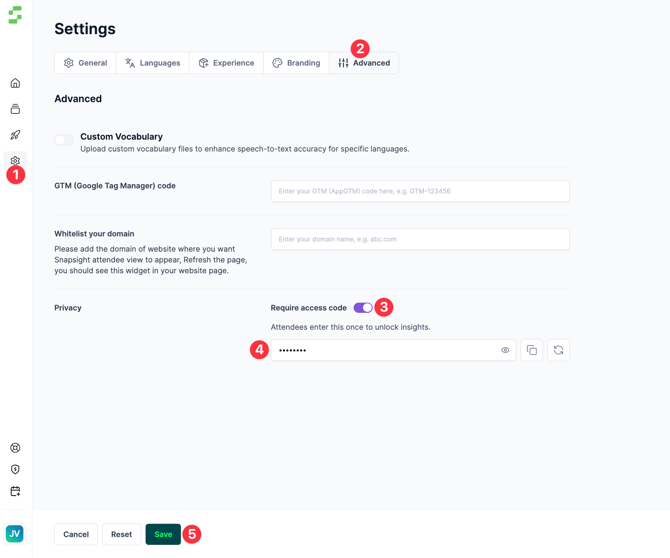
- Open Settings
- From the left navigation bar, click the Gear icon (Settings).
- Go to Advanced
- In Settings, locate the Advanced section.
- Click Advanced.
- Under Advanced, find and click Privacy.
- Toggle Require access code to On.
- Enter your access code
- Add the access code you want attendees to use.
- Save your changes
- Click Save to apply the privacy settings.
Need help? Contact our support team at cs@snapsight.com.